DESKTOP COMPANION OVERLAY
Get the H.U.D Manager Overlay
An always-on-top HUD that floats over Star Citizen — live zone tracking, trade routes, and your full loadout toolkit, without ever alt-tabbing. Free pilot account. 14 days of every tool, then the free tools stay free. Premium optional.
NEW · NATIVE OVERLAY · NOW LIVE
The new native H.U.D Manager overlay is here
We rebuilt the overlay from the ground up as a native Windows app, and it replaces the classic overlay, which is being retired. If you still use the classic one, download this instead and sign in with the same pilot account. Create a free pilot account to start a 14-day trial of every tool. After the trial, Ship Loadout Bay, Trade, Media and the Pilot Portal stay free, and Premium unlocks the rest.
- Ship Loadout Bay, right over the game
- Assistant: ask about ships, parts, prices and keys, answered only from the game data
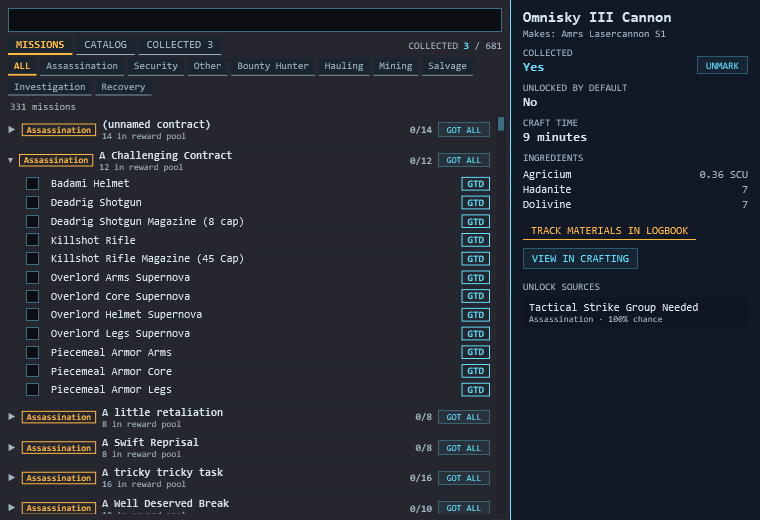
- Blueprint tracker that ticks blueprints for you from the game log
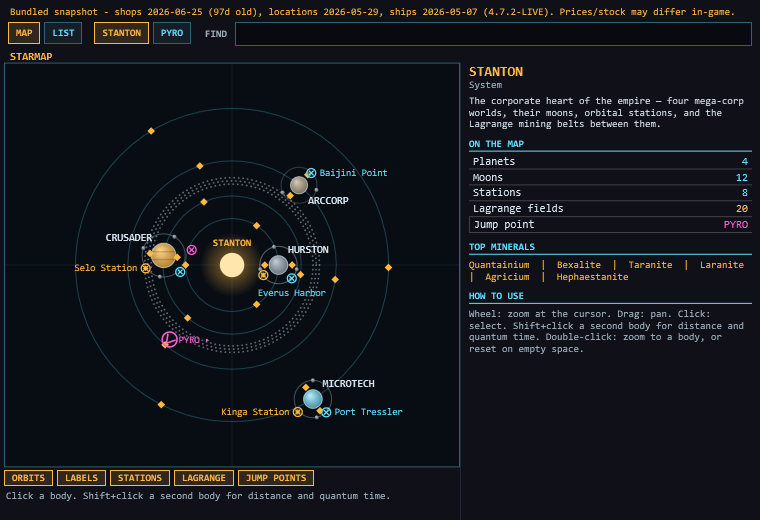
- Top-down Starmap with distances and quantum travel time
- Trade, Live Kit, Logbook, Mining and Crafting panels
- Keybinds lookup, and links that open in an in-game browser so you never tab out
- Voice commands, Pilot mail
DOWNLOAD FOR WINDOWS
JOIN OUR DISCORD
Signed installer, Windows only. Needs Star Citizen in borderless or windowed mode. It updates itself.
LINUX · CLASSIC OVERLAY
The new overlay is Windows only for now, so Linux keeps using the classic overlay · AppImage ~117 MB
·
All releases on GitHub
🐧
Linux is an early beta. The app, pilot portal, voice co-pilot, and the floating in-game overlay (Right Alt to summon) all work — a few things are still being polished. After download:
chmod +x HUD-Manager-Overlay*.AppImage then ./HUD-Manager-Overlay*.AppImage. Built with the Star Citizen Linux Users Group in mind — feedback welcome.
↑
Free to try, auto-updating. You need a free pilot account. It starts a 14-day trial of every tool; afterwards Ship Loadout Bay, Trade, Media and the Pilot Portal stay free and Premium unlocks the rest. The overlay updates itself.
⚠
The installer is code-signed (verified publisher: Leron Gordon). While it builds reputation with Microsoft, Windows SmartScreen may still show a brief notice on first run — just click More info → Run anyway. It's safe; full source is on GitHub.
SETUP — UNDER A MINUTE
1
Download & run the installer
Run
HudManagerOverlay-win-Setup.exe. It is code-signed (publisher: Leron Gordon).2
Create your free pilot account
The overlay asks you to sign in with Discord, Google, Microsoft, or a handle and password. This starts your 14-day trial of every tool.
3
Tap
Right Alt in-game to open the tool menuRun Star Citizen in borderless or windowed mode. Hold Right Alt when you want the mouse; let go and the game has it back.
4
Pick a tool
Ship Loadout Bay, Trade, Media and the Pilot Portal are always free. Everything else is free for your first 14 days, then Premium.